 Kissa
KissaA quieter place to work
A Study Room, with your record still playing.
Settle into rain, snow, forest, night or a cabin fireplace. Give the sitting a little structure, put on a record, and leave yourself space to focus.
Get Kissa from Microsoft Store ↗Free · Windows 10 & 11
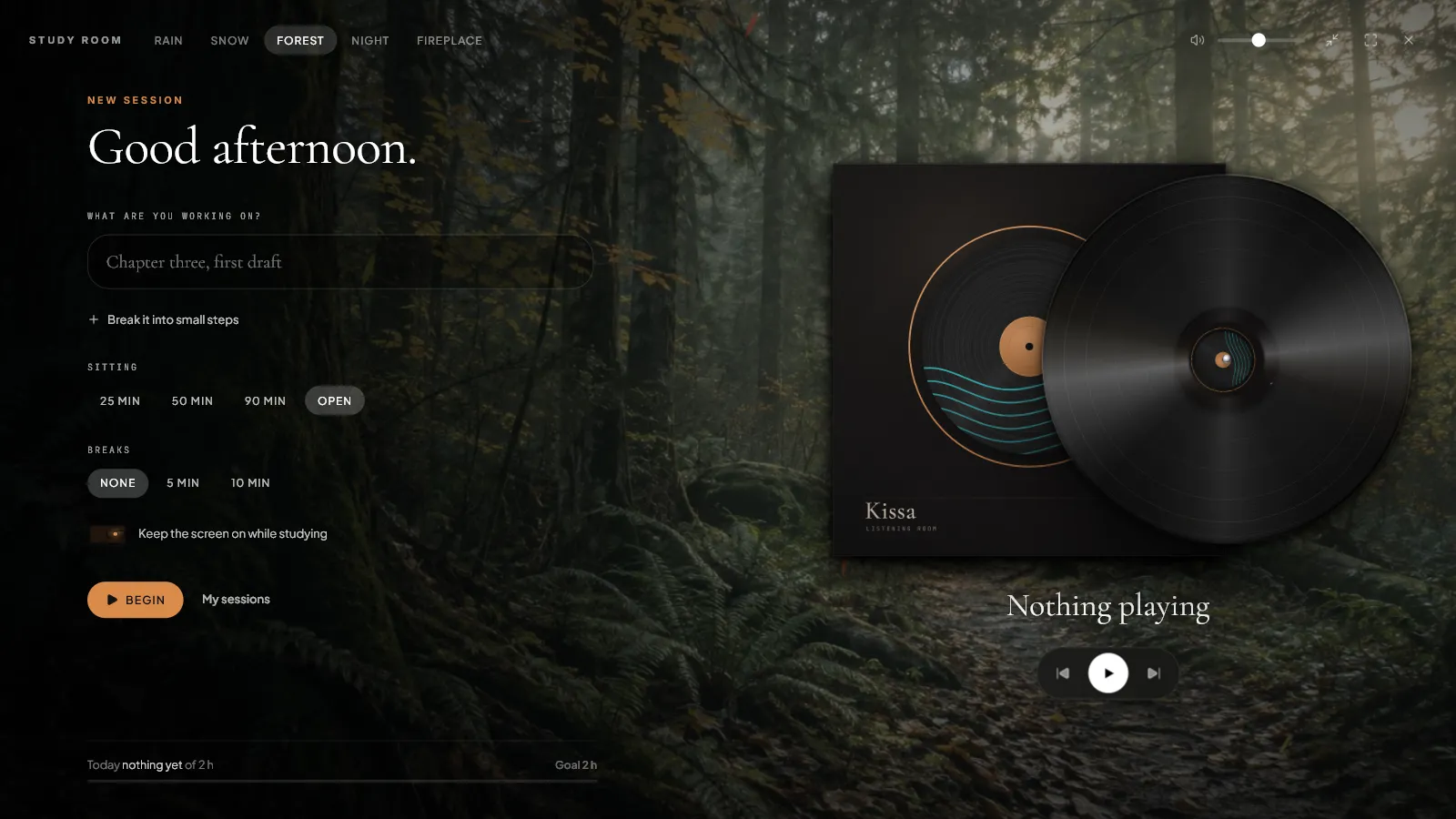
Five rooms. Real recordings.
Each room pairs a full-window view with a field recording: rain, a winter forest, a forest stream, night insects or a crackling fire. Switch the sound on when you want it, then set its volume independently of your music.
The weather changes gently as a sitting progresses. Reduced-motion preferences keep the room calm without continuous weather animation.
A focus timer that leaves you in charge.
Choose 25, 50 or 90 minutes, or an open sitting that counts up. Add breaks, pause when you need to, and decide when to begin the next block. Finishing a block never pauses your music.
The clock uses saved timestamps so switching views does not reset it. After a long gap caused by sleep, quitting or a clock change, Kissa asks you to resume or finish rather than counting the whole absence as work. You can keep the display awake during a running sitting.
Small steps, and somewhere for stray thoughts.
Write an intention, split it into small steps, and park distracting thoughts for later. At the end, review the sitting and choose whether to keep it.
My sessions shows recent sittings, the last seven days and your daily goal. These are records of time and your own reflection, not measurements of attention. Study data stays on this computer.
Your music stays yours.
Kissa follows the Windows media session from a supported music player. Keep listening in Spotify, Apple Music, TIDAL or a local player while the record turns beside your journal. Kissa does not supply a music catalogue or require a streaming-account login.
Optional Discord sharing can show the room and a timer. Your intention, step text and parked thoughts stay private. Enable sharing in Settings only if you want that presence on your profile.