Music,made tangible.

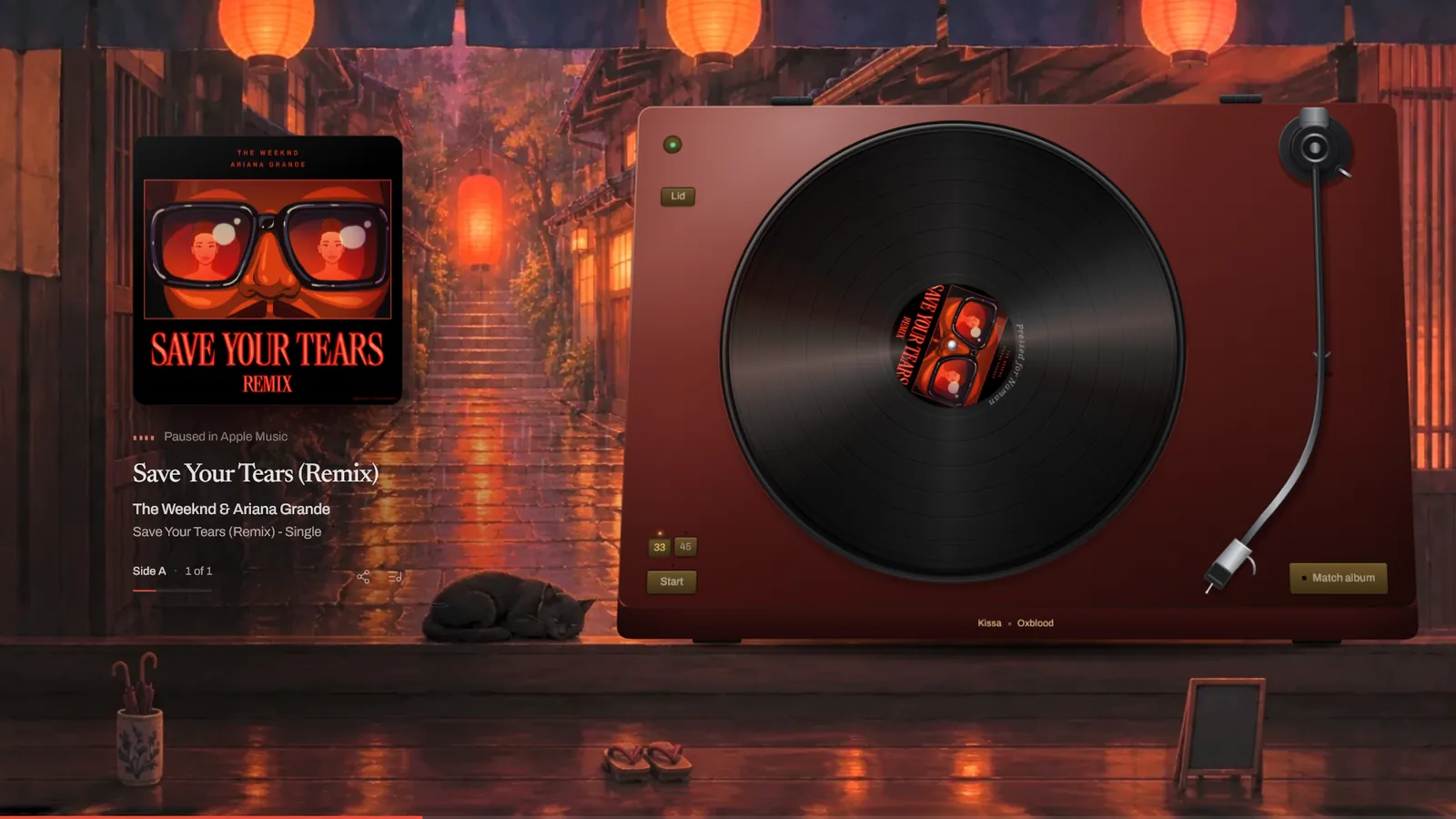
A free vinyl player for Windows 10 and 11. Whatever you play in Spotify, Apple Music, TIDAL or a local player becomes a record, turning quietly beside your work.

Get it from Microsoft Store

Free · Windows 10 & 11 · Updates itself

Nothing to set up.Just press play.

  • Play music the way you already do.

    Spotify, Apple Music, TIDAL or a local player. Nothing to import, nothing to sign in to.

  • Kissa listens to Windows.

    It reads the system media session for the track, the artwork and the position.

  • The needle drops.

    A platter with real inertia, a tonearm you can drag, and lyrics that keep time.

  1. Sit with the record, watch it turn
  2. Let the kettle find its song
  3. Rain is writing on the window
  4. Stay a little, stay along
  5. When the needle finds the middle
  6. Turn it over, carry on
Lyrics, word by word

Seven ways to sitwith a record.

A vinyl deck beside your work. Switch to the mini player for just the record, with controls on hover.

Normal Window

Pick a roomto listen in.

Free in Kissa: each room re-lights the deck to suit the hour, the weather or the record.

Amber lamplight, walnut grain, late-night warmth.
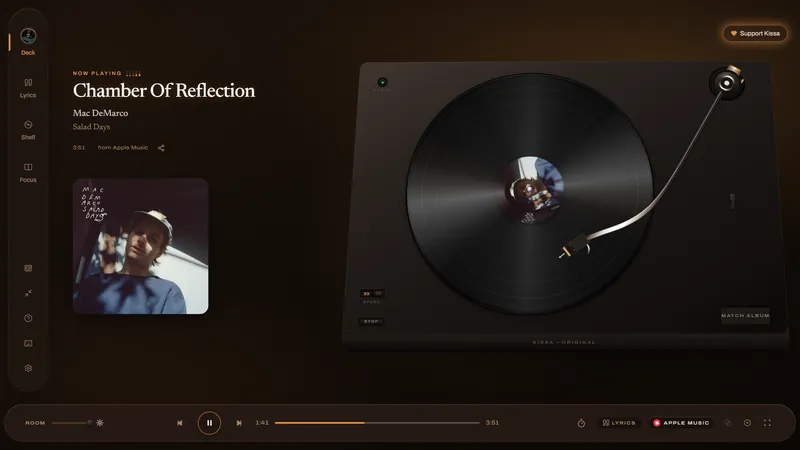
Kissa, Warm Walnut Studio: Amber lamplight, walnut grain, late-night warmth.

Warm Walnut Studio

A deck thattakes after the record.

The colours of the album drift slowly behind the room. Let them move with the beat, turn the room light down, or set a sleep timer.

Moving light

A room to work in,the record still turning.

A real view, its own field recording, a focus clock with breaks, and your music on the record beside you.

Rain on a garden under the eaves. The glass mists over as you focus.
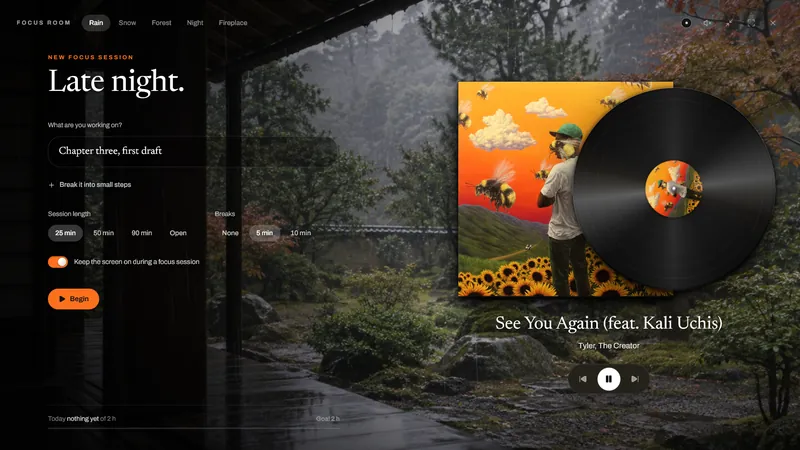
Step inside the Focus Room

Kissa, Rain: Rain on a garden under the eaves. The glass mists over as you focus.

Rain

KissaReserve

Twelve rooms painted for Kissa, each with its own weather and sound, standing behind your deck while you listen. Paid once. Yours to keep.

$2.99Founding price until 25 December,
then $4.99

The Store shows the exact price in your currency.

Open Reserve inside Kissa and try all of it once, free, for 30 minutes.
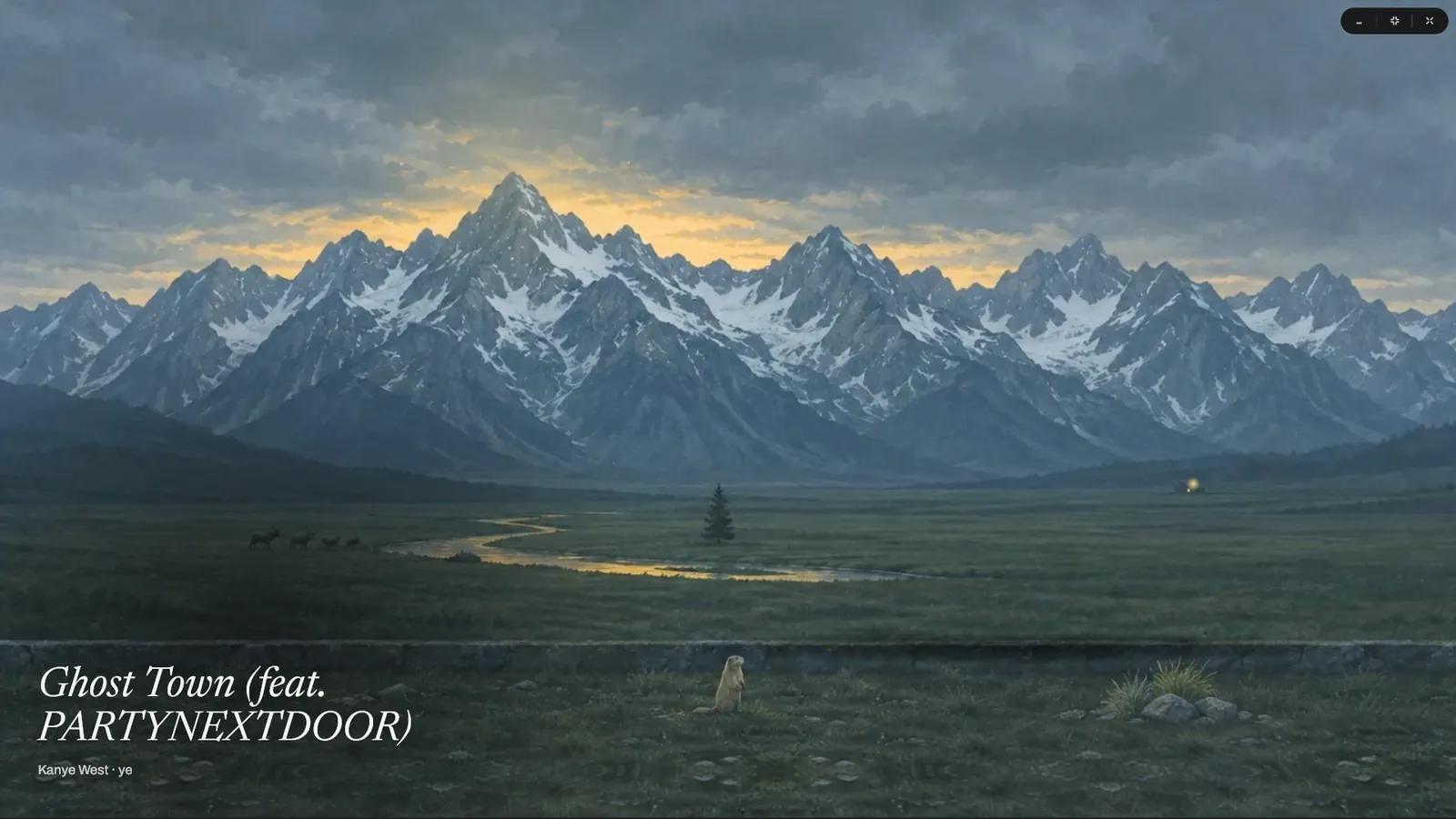
Window seat: the High country painting fills the screen with only the song title in the corner

The window seat

Press W and the deck steps aside. Only the room and the song stay.

A picture disc

Every record pressed with its own cover, printed across the whole disc, under the grooves.

Your name in the run-out

Etched around the label of every record you play, turning with it.

  • House walnut
  • Smoked
  • Oxblood

Three deck finishes

And one room made from a photo of your own, which never leaves your PC.

What’s onthe record.

Tonearm seeking

Drag the needle to move through the track. The arm sets down at the edge and travels inwards as it plays.

Designed and built by Naman Bagdiya, GlyphCode.

Side AThe deck

Side BThe room

Side CThe Focus Room

Before youdrop the needle.

What is Kissa?

Kissa is a free vinyl player for Windows 10 and 11. It follows whatever is already playing on your PC and shows it as a record on a turntable, with a tonearm you can drag to seek, synced lyrics and eight listening rooms.

Does Kissa work with Spotify, Apple Music and TIDAL?

Yes. Kissa reads the Windows system media session, so it picks up Spotify, Apple Music, TIDAL, local media players and music playing in Chromium-based browsers. There is nothing to connect and no account to sign in to.

Is Kissa a virtual record player or an audio player?

Kissa can play your own album folders or accompany music already playing on your Windows PC. Keep listening in Spotify, Apple Music, TIDAL or a local media player; Kissa adds the spinning vinyl, album artwork and synced lyrics. It does not stream songs or record physical vinyl.

Can I change the look of the turntable and the record?

Yes. Choose a Walnut, Porcelain or Studio Silver finish, and a record in classic black, a colour, or a marbled, tortoiseshell or splatter pressing. You can also let the record match the album that is playing, or keep it black. Save the combinations you like and switch between them from the deck.

Does Kissa have a focus mode for studying or work?

Yes. The Focus Room is a full-window room for studying, writing, coding or whatever needs your attention, with your music still on the turntable. Choose Rain, Snow, Forest, Night or Fireplace, each with a real field recording, set a sitting of 25, 50 or 90 minutes with breaks, break your task into small steps, and see your week against a daily goal.

Can Kissa show what I am listening to on Discord?

Yes, if you turn it on. Kissa can show the Apple Music track you are playing, and Spotify too if you choose, on your Discord profile with its cover. During a focus session it shows the room and the timer instead, never what you are working on. It is off until you switch it on in Settings.

Is Kissa free?

Yes. Kissa is free from the Microsoft Store, with no ads, no account and no telemetry. The Microsoft Store is the one place to get it and receive updates.

Is there an online version, or a version for Mac?

No. Kissa is a desktop music player for Windows, because it depends on the Windows media session to know what is playing. You can try the turntable, lyrics and rooms on this page before downloading it.

Which versions of Windows does it support?

Windows 10 and Windows 11. Kissa installs from the Microsoft Store, which also keeps it up to date.

Where do the lyrics come from?

Synced lyrics come from LRCLIB. Kissa highlights them line by line, and word by word where the source provides that timing. You can click a line to jump to it and nudge the timing if a track runs early or late.

Can Kissa be used as a Windows screensaver?

Yes. Kissa includes a native Windows screensaver that keeps the record turning, with or without lyrics, when your PC is idle. You turn it on from Kissa's settings.

Can I reduce motion or increase contrast?

Yes. In Settings, General, Comfort, Reduce motion uses fades instead of movement and holds the moving light still, and Increase contrast gives brighter secondary text and more solid panels. Each follows your Windows setting until you change it.

Does Pressed upload my listening?

No. Your listening history and Pressed recap are kept on your PC.

Do I need an account for the phone remote?

No. It works over your own Wi-Fi: scan the QR code Kissa shows, or enter its 6-digit code.

Put arecord on.

Free, for Windows 10 & 11. Install it from the Microsoft Store, press play in your music app, and let it spin.

Get it from Microsoft Store

Free · Windows 10 & 11 · Updates itself